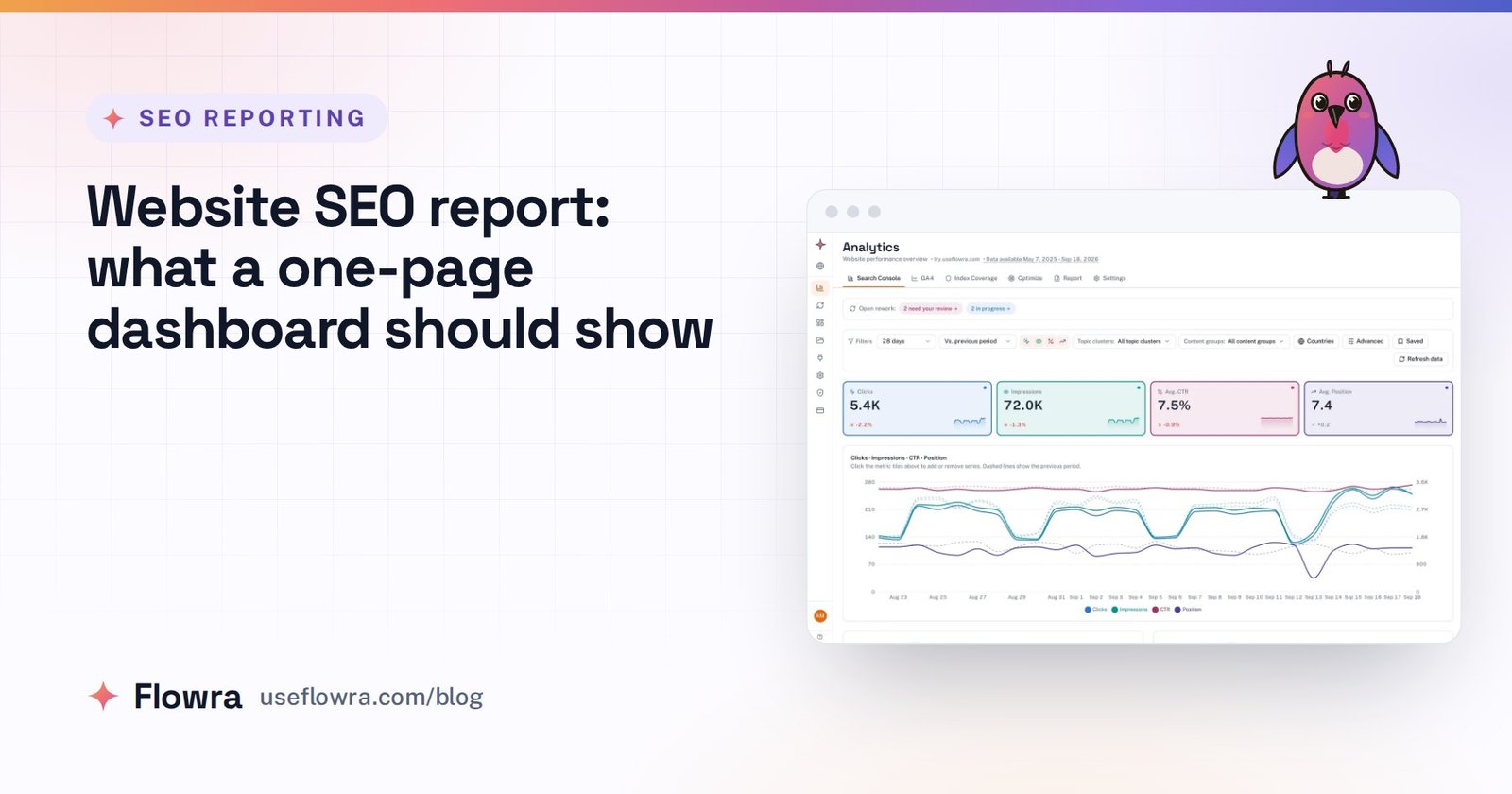
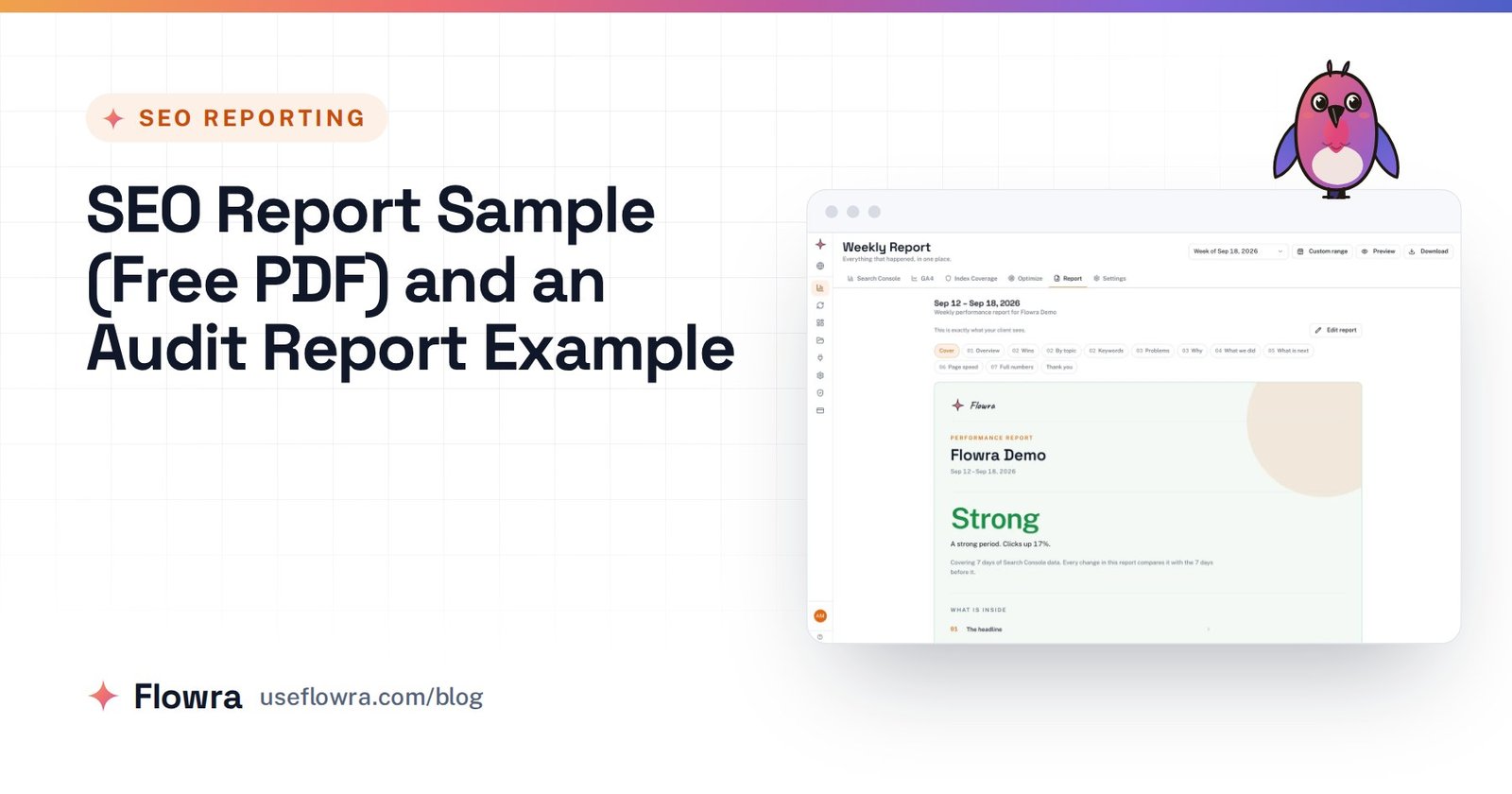
SEO reports for clients are short, regular documents that show what organic search did for the client’s business this period, why it happened and what you will do next. Send one monthly by default. Keep the front page to 5 to 7 numbers tied to the client’s goals, and open with a plain-English summary, not a chart.
This page covers what to include, how to build the report by hand from Search Console and GA4, and how to explain a drop without sounding defensive. It also covers how to share the report (PDF, live link or call) so it still makes sense when your contact forwards it to someone who has never heard of “average position”.
What is an SEO report for clients?
An SEO report for clients is a recurring summary of organic search performance, written for the person who pays for the work. It answers three questions: is it working, why, and what happens next. Everything else is supporting evidence.
The report matters because SEO is mostly invisible work. A client pays every month for fixes, pages and research they never see. The report is where they find out what that money bought. A clear report builds trust. A vague one leaves the client asking “what are we paying for?”, and that question usually comes up just before they cancel.
For a longer definition and the history of the format, see what is an SEO report.
SEO report vs SEO audit
People often mix these up, and clients sometimes ask for one when they mean the other.

| SEO report | SEO audit | |
|---|---|---|
| Purpose | Show progress and results over time | Find problems and opportunities on a site |
| When | Every month (or week, or quarter) | Once at the start, then yearly or after big changes |
| Looks at | Traffic, rankings, conversions, work done | Technical setup, content, links, competitors |
| Output | A few numbers, commentary, next steps | A prioritised list of fixes |
| Reader | The client and their boss | You, the client’s developer, the content team |
The audit gives you a plan (this SEO audit report sample shows what one looks like), and the report shows how that plan is going.
Start with the client’s goals, not the metrics
Agree on goals before you build any template. Otherwise you will report what is easy to measure, not what the client cares about. In the kickoff call, ask:
- What counts as a win: leads, sales, bookings, sign-ups, calls?
- Which pages or products make the most money?
- Who reads the report, and who do they pass it on to?
- What are you comparing us against: last year, a previous agency, a competitor?
- Are there busy and quiet seasons we should expect?
- What else is running that could move traffic: ads, PR, a redesign, a price change?
Write the answers down and put the goal at the top of every report.
Here is an example. A dental clinic’s goal is “booked consultations from Google”. Its report leads with consultation requests from organic search, then the visits and rankings that led to them. Impressions for “teeth whitening” still appear, but lower down, as an explanation, not as the headline.
What to include in a monthly SEO report
Pick 5 to 7 metrics for the front page and keep them the same every month. In our experience, once page one carries more than seven numbers, readers start skimming. These six cover most clients:
| Metric | Where to get it | What it tells the client |
|---|---|---|
| Organic traffic (clicks and sessions) | Search Console > Performance; GA4 > Reports > Acquisition > Traffic acquisition, Organic Search | Is search sending more people? |
| Conversions from organic | GA4 key events (Admin > Data display > Key events) | Are those people doing what the business needs? |
| Rankings for priority queries | Search Console average position, or a rank tracker | Are we getting closer to the top for searches that matter? |
| Click-through rate (CTR) | Search Console > Performance | When people see us in results, do they click? |
| Backlinks | Search Console > Links (sample), or a third-party backlink tool | Are other sites referring to us? |
| Site health and speed | Search Console > Indexing > Pages; Experience > Core Web Vitals | Is anything technical holding us back? |
A few notes that save arguments later:
- Rankings: Search Console gives an average position across every time the page appeared, in every location. A rank tracker gives one position for one place and device. Say which one you use, and don’t switch between them.
- Backlinks: the Links report in Search Console shows a sample, not a full count. If links are a big part of your work, report them from one tool and keep using it.
- Site health: report it only when something changed. “No new indexing or Core Web Vitals issues” is one line, not a page.
For a fuller list and how to choose between them, see our guide to SEO KPIs.
Should an SEO report include AI search visibility?
Yes, as one short line, because clients are asking about it. There are two parts, and you measure them in different ways.
Visits from AI assistants show up in GA4 as referral traffic. Look for session sources such as chatgpt.com, perplexity.ai, gemini.google.com, copilot.microsoft.com and claude.ai. Treat the result as a minimum: some apps don’t pass a referrer, and an answer that mentioned the client without sending a click never shows up in GA4.
Google’s AI Overviews and AI Mode are different. Google’s documentation on AI features and your website says traffic from them is counted within the Search Console Performance report under the Web search type. So those clicks are already in your totals, but you can’t report them as a separate number. Tell the client that plainly rather than selling an “AI visibility score” you can’t explain.
What to report in the first three months
Traffic rarely moves in month one, and Google’s own guide Do you need an SEO? says it often takes four months to a year to put improvements in place and see a benefit. Put that in writing at kickoff, then report leading indicators until results arrive:
- Work shipped: fixes made, pages published, pages rewritten, with links.
- Indexing: new and fixed pages now indexed (Search Console > Indexing > Pages, or URL Inspection).
- Impressions and new queries: more appearances in results usually come before more clicks.
- Position movement: queries moving from position 30 into the 8 to 20 range, where one more push can reach page one.
- Baseline scorecard: the starting numbers you will be judged against, so month six has something to compare to.
Once clicks and conversions start moving, shift the front page to results and move activity lower down.
How often should you send SEO reports?
Monthly is the right default. Weekly Search Console and GA4 numbers are noisy, while a month smooths out day-to-day swings and usually matches the billing cycle. Adjust the rhythm to the client and the stage of the work:
| Situation | Report | Call |
|---|---|---|
| Small local business, small budget | Short monthly report (one page) | Quarterly |
| Standard retainer | Monthly report | 30 minutes monthly |
| Large client, several stakeholders | Monthly report plus a live dashboard | Monthly, plus a quarterly review with senior people |
| Site migration, redesign or launch | Weekly check for 4 to 8 weeks | Weekly or as needed |
| First 90 days of a new client | Monthly, focused on leading indicators | Monthly |
| Stable, long-standing client | Monthly or quarterly, agreed with them | Quarterly |
Whatever rhythm you choose, keep the same comparison periods so trends stay readable.
How to create an SEO report in 7 steps
This is the manual method using only free Google tools. A first report takes a few hours. Later ones are quicker once the template exists.
- Fix the period and comparisons. Use the last full calendar month. Compare it with the previous month and with the same month last year, which catches seasonal swings that month-on-month comparisons hide.
- Pull Search Console data. Open Performance > Search results, set the date range and use Date > Compare. Export from the top right to get queries, pages, countries and devices. The Performance report help page explains each metric if a client asks. To skip the spreadsheet step, drop the export zip into our free Search Console report generator. It runs in your browser and turns the export into a branded PDF with totals, change against the previous period, clicks per day, top queries and pages, devices, countries and a drafted summary.
- Pull GA4 data. In Reports > Acquisition > Traffic acquisition, filter to Organic Search for sessions and key events. Then check the referral rows for AI assistants.
- Check site health. Look at Indexing > Pages, Experience > Core Web Vitals, and Security & Manual actions in Search Console. Note only what changed.
- Find the story. Pick one headline (the most important thing that happened), two or three wins and one or two problems. If you can’t name a headline, you are not ready to write.
- Write the commentary. For each number on the front page, say what happened, why and what you will do (the framework is below).
- Add next month’s plan and send. List the work planned, anything you need from the client (access, approvals, product details) and book the call.
An SEO report template you can copy
Use this structure for a website SEO report you send to clients. Page one has to work on its own.
PAGE 1: SUMMARY
  Site, period, comparison periods
  Three-sentence summary: headline, why, what next
  Goal scorecard: 5 to 7 metrics, this month, last month, last year, change

PAGE 2: WHAT MOVED
  Top 3 wins (page or query, number, reason)
  Top 1 to 2 problems (page or query, number, reason)

PAGE 3: WORK DONE THIS MONTH
  Each task with a link and the goal it serves

PAGE 4: NEXT MONTH
  Planned work, in priority order
  What we need from you, with dates

APPENDIX
  Full tables: queries, pages, devices, countries
  Definitions of each metric in one line
An example summary for a month with a mixed result:
Organic enquiries rose from 31 to 38 against last month and are up 12 on the same month last year. Most of the gain came from the two service pages we rewrote in August, which moved from page two to positions 4 and 6. Blog traffic fell after a Google core update; next month we will update the three posts that lost the most clicks.
That is three sentences: one number with a comparison, one cause and one action.
How to explain SEO results to a client
Most reports show numbers and leave the client to work out what they mean. Use the same three-part pattern for every metric on the front page:
- What happened: the number and its comparison. “Clicks fell 18% against last month.”
- Why: the cause, with evidence. “Almost all of the drop is on two blog posts that slipped from position 3 to position 9.”
- What we’re doing: the action and when you’ll know. “We are updating both posts this month and will report the effect in two reports’ time.”
If you don’t know why something happened yet, say so and say when you will. That is better than guessing.
How to explain a traffic drop
Work through the causes in this order before you write anything:
- Tracking. Did a GA4 tag, a consent banner or a site change break measurement? If Search Console clicks are steady and GA4 sessions fell, it’s probably tracking, not traffic.
- Seasonality. Compare with the same month last year. A December drop for a B2B site is often normal.
- Scope. Is it the whole site or a handful of pages? Sort pages by change in clicks. If a few pages account for most of the loss, the cause is on those pages.
- Google updates. Check the Google Search Status Dashboard for ranking updates during the drop.
- Indexing. Check Indexing > Pages for pages that dropped out.
- Results page changes. If impressions and position held but CTR fell, something on the results page (an AI Overview, ads, a new feature) is taking clicks.
Then tell the client early, before they notice it themselves (our guide on how to explain an SEO traffic drop to a client has wording you can borrow). Give the number, the likely cause, what you’re doing and when you’ll report back. Clients forgive drops far more readily than surprises.
Why Search Console and GA4 numbers don’t match
Clients will spot that “clicks” and “organic sessions” differ. Explain it once in the appendix and label the source next to every number. The main reasons:
- Search Console counts clicks from Google only. GA4’s Organic Search channel also includes Bing, DuckDuckGo and other engines.
- GA4 records a visit only if the tag loads and, where consent is required, the visitor accepts analytics cookies. Search Console counts the click either way.
- A click is not a session. Someone who clicks and leaves before the page loads is a click with no session.
- Search Console reports in Pacific Time, while GA4 uses the property’s time zone, so daily totals split differently.
- Search Console hides rare queries for privacy, so the query table never adds up to the total.
Use Search Console for how the site appears in Google, and GA4 for what visitors did once they arrived.
How to prove SEO ROI
Turn organic conversions into money with figures the client gives you. For example: GA4 records 40 enquiry forms from organic search this month, the client closes 1 in 5, and an average new client is worth $2,000. That works out to 8 new clients and $16,000 in revenue, against whatever the retainer costs.
Agree the close rate and deal value with the client and write them into the report, so the maths is theirs, not yours. For ecommerce, use the revenue GA4 attributes to organic search. Either way, add a note that attribution is approximate. People often find a brand through search and buy later through another channel.
How to share SEO reports with clients
How you deliver the report decides whether it gets read. Each option has its uses:
| Method | Best for | Watch out for |
|---|---|---|
| Clients who forward reports, file them or read on a phone | Out of date the moment it’s sent; easy to skim past the summary | |
| Live dashboard or link | Clients who check in between reports | Numbers without commentary; access and login problems |
| Walkthrough call | Explaining drops, agreeing priorities | Hard to schedule; nothing in writing unless you send notes |
| Short screen recording | Busy clients in other time zones | Rarely watched to the end; keep it under five minutes |
| Client portal | Agencies with many clients and many logins | Another password for the client; low use if they never log in |
For most clients, a written report (PDF or a link) plus a short monthly call works best. The written report is the record, and the call is where the client asks questions and you agree next steps. Send the report a day before the call so the call can be about decisions, not reading numbers aloud.
When the report gets forwarded to someone senior
Your contact will often send the report to a manager or owner who wasn’t on any call. Write page one for that person:

- Put the site name, period and comparison dates at the top.
- Spell out every acronym the first time, or don’t use it.
- Use one chart at most, with a title that states the point (“Enquiries up 23%”), not the metric name.
- Give a PDF a clear file name, such as
clientname-seo-report-2026-09.pdf. - Before sending a link, open it in a private window to check it works without your login.
Tools for SEO reports
Tools collect the numbers. The commentary is still your job, and it’s the part clients value. The usual options:
| Tool | What it’s for | Cost |
|---|---|---|
| Google Search Console | Clicks, impressions, CTR, position, indexing, links | Free |
| Google Analytics 4 | Sessions, engagement, key events, referrals including AI assistants | Free |
| Looker Studio | Google’s dashboard builder, with built-in connectors for Search Console and GA4; you design the template | Free |
| AgencyAnalytics, DashThis | Paid reporting dashboards built for agencies, combining many data sources | Paid; check their current pricing pages |
| Search Console report generator | One-off PDF from a Search Console export, in your browser | Free |
If you’re comparing paid dashboards, our page on AgencyAnalytics alternatives sets out the trade-offs. A good rule: if you report on fewer than five sites, Looker Studio and a written summary are usually enough. Pay for a tool when building the reports by hand eats into time for the actual SEO work.
Skip the spreadsheet: let the report rebuild itself
Exporting, pasting and rewriting the same template every month is the part worth automating. You can start free with Flowra and connect Search Console and GA4.
The Free plan includes basic Search Console reports (a content decay report and the top 5 striking distance queries). The full Search Console and GA4 analytics, and the weekly client report link with your branding, need Starter ($49 a month) or above.
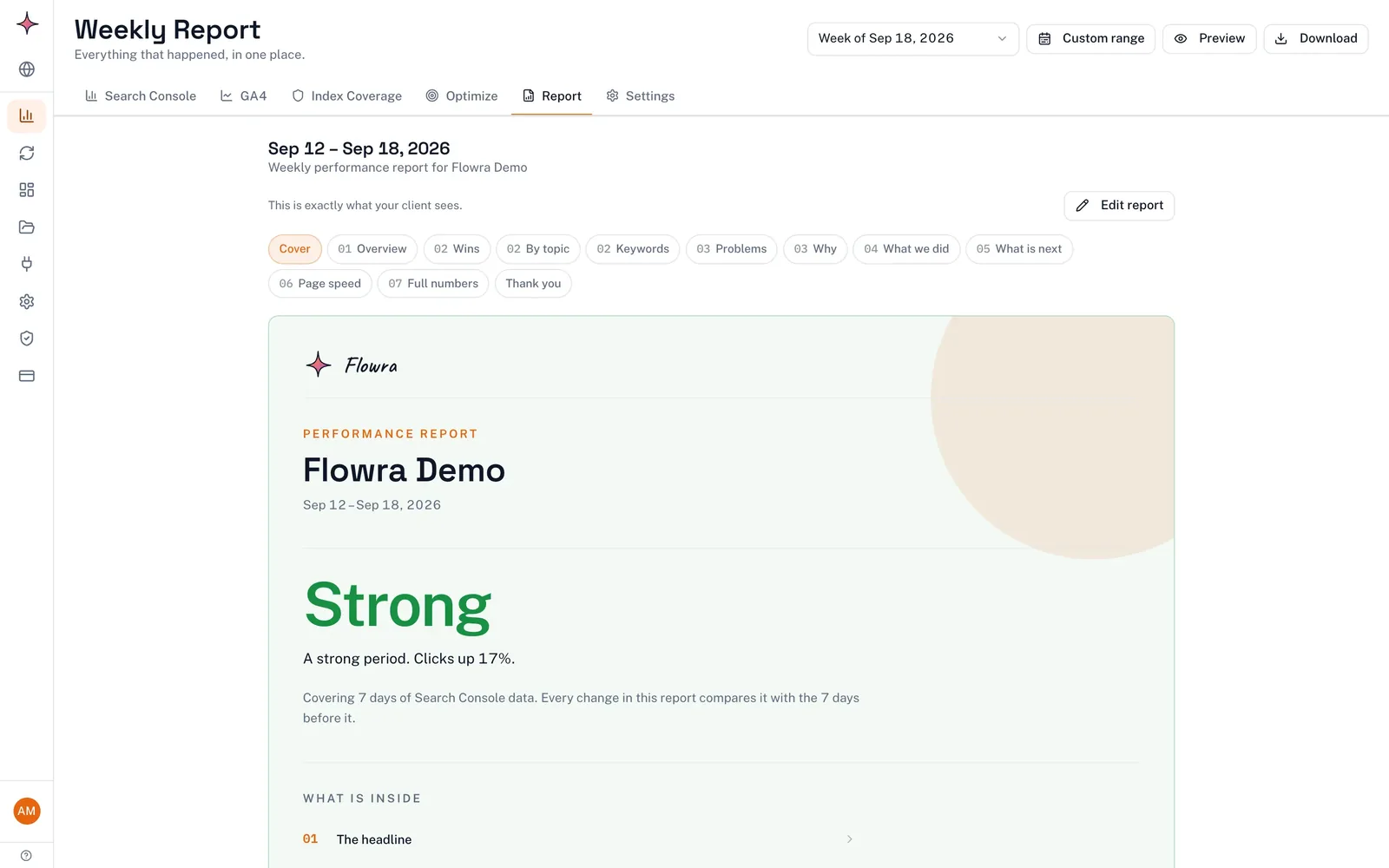
With Search Console and GA4 connected, the app rebuilds a report for each site every week from those numbers. The report explains in plain language what moved and why, in numbered chapters with featured wins, keyword gains and drops, pages that reached page one and a closing summary. It’s written from the data by fixed rules, not AI, and you can add your own lines about the work you did.
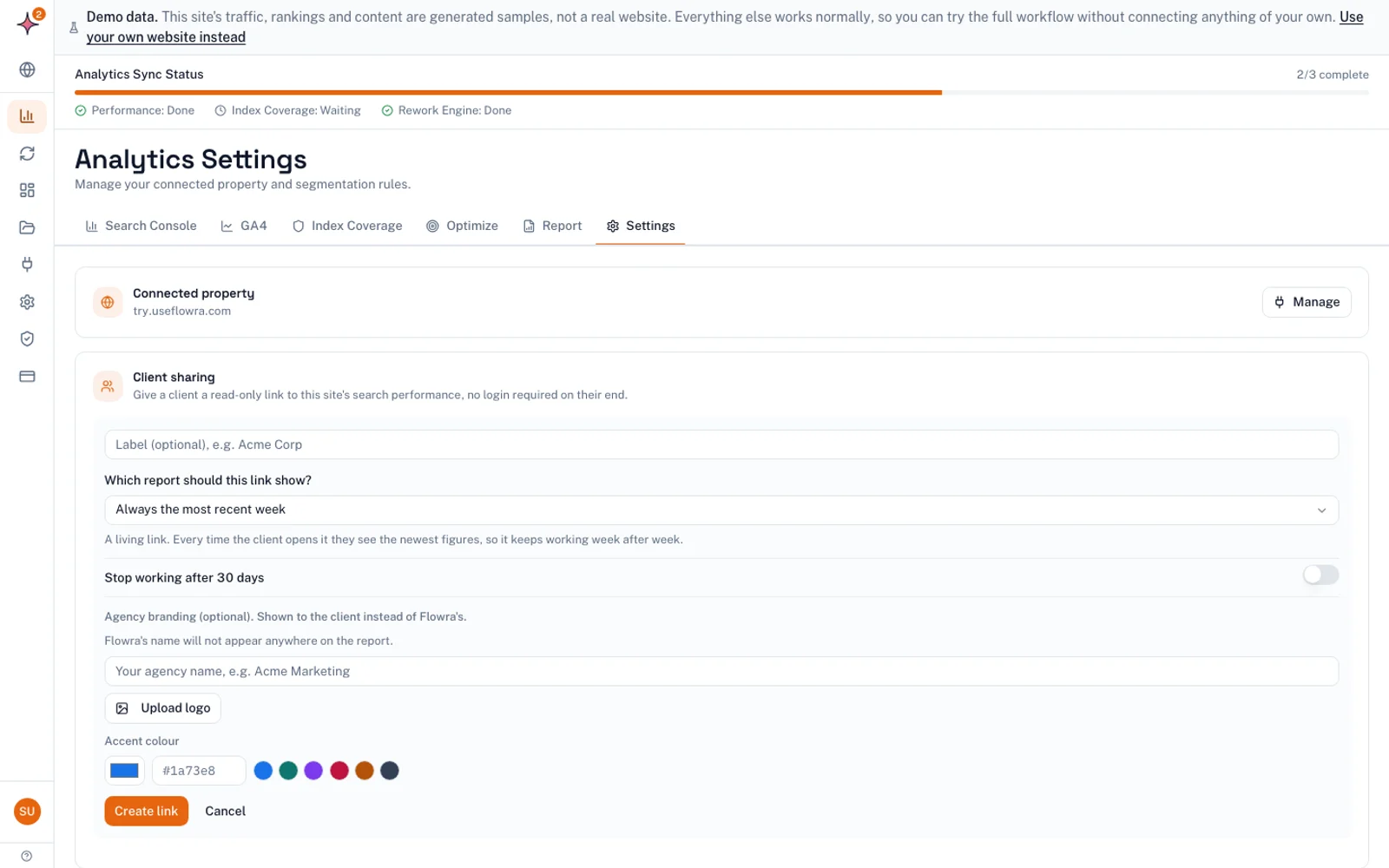
You share it as a link with your agency’s name, logo and accent colour. The link always shows the latest week, and you can set it to stop working after 30 days. On Starter and Pro a small credit line stays at the bottom of the report. The Agency plan removes it, giving you a fully white label SEO report.
A few honest limits. The report rebuilds weekly, so if you report monthly, use it to catch problems early and keep sending your monthly report as usual. Nothing emails the report to clients. It also doesn’t cover backlinks, manual actions, security issues, indexing status or conversion tracking setup, so check those by hand as in step 4. More detail is on the automated SEO reports page.
Common SEO reporting mistakes
- Too many metrics. Twenty charts tell the client you couldn’t decide what mattered. Keep the front page to 5 to 7 numbers and put the rest in an appendix.
- Numbers without comparisons. “4,200 clicks” means nothing alone. Always show last month and last year.
- Changing metrics month to month. It looks like you’re picking whichever number went up.
- Hiding bad news. Clients notice drops in their own analytics. Report the drop first, with the cause and the plan.
- Taking credit for the season. If last year shows the same rise, say so.
- Unlabelled sources. Mixing GA4 sessions and Search Console clicks without saying which is which invites the “why don’t these match?” email.
- Dashboard screenshots with no commentary. The client can’t read a chart the way you can.
- No next steps. A report that ends on a table gives the client nothing to approve or look forward to.
How much to charge for SEO reports
Reporting works best as part of the retainer, not as a separate line item. Clients resent paying extra to find out what they already paid for. Still, you should know what it costs you, so you price the retainer correctly.
Work it out once. For example, if writing the report takes 3 hours and the call 30 minutes, and your rate is $120 an hour, reporting costs you $420 a month for that client. If that’s a large share of a small retainer, shorten the report, use a lighter cadence from the table above, or automate the data gathering. Charge separately only for work outside the regular rhythm: a one-off report for a prospect, a custom dashboard, or extra reports for a board meeting.
What to do next
- Send each client the six kickoff questions above, even existing ones, and write their goal at the top of your template.
- Cut your current report’s front page to 5 to 7 metrics, each with last month and last year beside it.
- Rewrite this month’s summary as three sentences: what happened, why, what next. Then book the call for the day after you send it.
Frequently asked questions
What should a monthly SEO report include?
A monthly SEO report should open with a three-sentence summary, then show 5 to 7 metrics tied to the client’s goals: usually organic traffic, conversions from organic search, rankings for priority queries, click-through rate, backlinks and site health. Each number needs a comparison with last month and the same month last year. Finish with the work done and the plan for next month.
How often should you send SEO reports to clients?
Monthly is the standard cadence because it smooths out daily swings in Search Console and GA4 and matches most billing cycles. Send weekly checks during a migration or launch, and add a quarterly review for larger clients with several stakeholders. Small clients on small budgets may only need a short monthly report and a quarterly call.
How do I present an SEO report to a client?
Send the report a day before a short call so the client has read the numbers. On the call, start with the summary, explain each important change as what happened, why and what you’re doing, then agree on next month’s priorities. Avoid jargon, and define any term the client might repeat to their boss.
How do you explain an SEO traffic drop to a client?
First rule out tracking problems and seasonality, then check whether the drop is site-wide or limited to a few pages, and look for Google updates or indexing issues. Tell the client early with the number, the likely cause, the fix and when you’ll report back. A drop explained before the client notices it does far less damage than one they find themselves.
What is the difference between an SEO report and an SEO audit?
An SEO report tracks results over time, usually monthly, and shows whether the work is paying off. An SEO audit is a one-off review of a site’s technical setup, content and links that produces a list of fixes. The audit sets the plan, and the reports show how that plan is going.
Should an SEO report include AI search visibility?
Include a short line on it, because clients increasingly ask. Visits from ChatGPT, Perplexity, Gemini, Copilot and Claude can be counted as referrals in GA4, though that figure is a minimum. Google counts clicks from AI Overviews within the regular Search Console data, so you can’t report them as a separate number.